
Your laptop still works. It runs your applications, handles your files, and supports your daily workflow.
Yet suddenly you’re being told it’s no longer secure.
The reason? A new operating system requirement. A security standard update. A hardware compatibility list.
For many organizations, this message arrives as a directive: buy new machines or accept security risk.
But the reality behind many forced hardware upgrades is more complicated. Some requirements are legitimate. Others are architectural choices that benefit vendors more than customers.
The upcoming end-of-support for Windows 10 illustrates this perfectly. Millions of perfectly functional devices are now being labeled “obsolete” because they cannot meet the hardware requirements of the next OS generation.
That puts businesses at a crossroads:
- Pay for extended support.
- Replace working hardware.
- Or rethink the operating system entirely.
The third option — migrating to Linux — is often ignored, despite offering stronger control, longer device lifespan, and reduced dependency on vendor upgrade cycles.
This article breaks down why forced hardware refresh cycles happen, how to separate real security needs from sales pressure, and how Linux can extend infrastructure life without compromising security.
When “Security Requirements” Become a Sales Mechanism
Security upgrades are necessary. Software evolves, threats change, and outdated systems create vulnerabilities.
But not every security requirement requires new hardware.
In many cases, vendors implement requirements that are technically beneficial but strategically convenient for driving hardware replacement cycles.
The Pattern Behind Forced Hardware Upgrades
The typical sequence looks like this:
- Vendor announces end-of-support timeline
- New OS introduces stricter hardware requirements
- Older devices fail compatibility checks
- Security compliance becomes tied to upgrading hardware
The message becomes simple:
“Your device may work — but it’s no longer supported.”
This is where security messaging becomes a sales lever.
Example: The Windows 10 Support Cliff
When Microsoft announced the end of support for Windows 10, millions of machines suddenly faced a decision point.
Many devices cannot run Windows 11 because of requirements like:
- TPM 2.0 modules
- Secure boot enforcement
- CPU generation restrictions
These features have legitimate security benefits.
But they also exclude a massive amount of functional hardware.
The result is a global refresh wave — not because the machines failed, but because the operating system changed the rules.
Takeaway:
Security improvements are real, but tying them exclusively to hardware replacement is often a business decision, not a technical necessity.
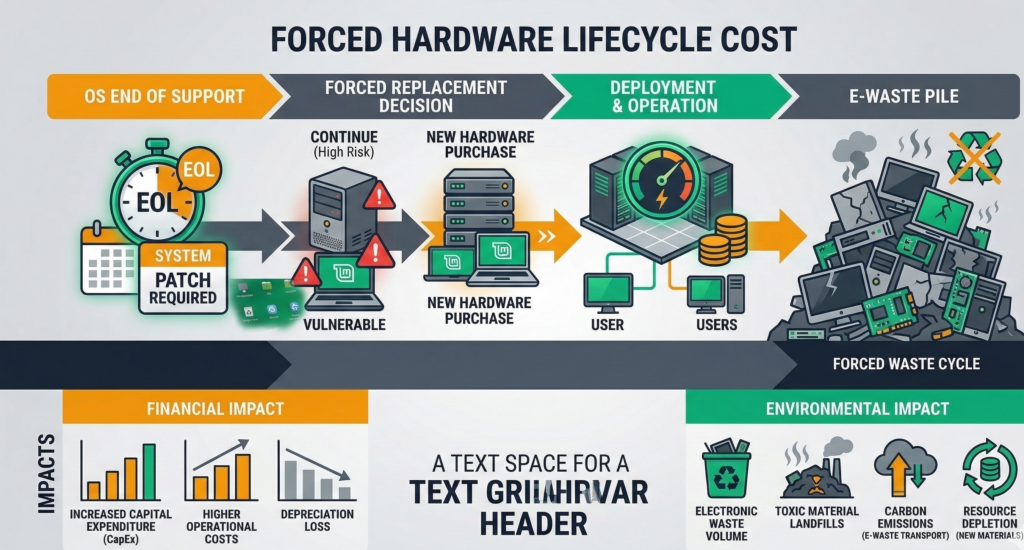
The Hidden Cost of Hardware Refresh Cycles
Hardware refresh programs are often justified as routine IT lifecycle management.
But forced upgrades carry deeper costs than most organizations expect.
Direct Financial Costs
A typical business laptop replacement includes:
- Hardware purchase
- OS licensing
- Migration labor
- Application compatibility testing
- Deployment downtime
Across hundreds of employees, the expense multiplies quickly.
A forced refresh cycle can easily become a six-figure infrastructure event.
Operational Disruption
Hardware replacement also introduces:
- Workflow interruptions
- Data migration risk
- User retraining
- Device provisioning delays
Even well-managed rollouts generate friction.
Environmental Impact
Forced upgrades also produce a less discussed consequence:
Perfectly functional machines become electronic waste.
Research and environmental policy discussions increasingly highlight how short technology lifecycles drive unnecessary hardware disposal.
Extending device life by even two to three years significantly reduces environmental impact.
The Strategic Problem
When vendors control both the operating system and hardware compatibility rules, businesses lose leverage.
You are no longer deciding when to upgrade.
The vendor is.
Takeaway:
Hardware refresh cycles are often treated as routine IT maintenance, but when driven externally, they become a form of vendor lock-in disguised as security compliance.
Real Security Requirements vs Arbitrary Requirements
Not every requirement is arbitrary. Some security improvements genuinely depend on hardware capabilities.
The challenge for IT leaders is separating legitimate architectural improvements from upgrade pressure.
Legitimate Hardware Security Features
Certain protections benefit from hardware support:
- Trusted Platform Modules (TPM)
- Secure boot chains
- Hardware-backed encryption
- Virtualization-based security
These technologies improve resistance against firmware attacks and credential theft.
But many operating systems can still deliver strong security without the newest hardware features.
Where Requirements Become Arbitrary
Hardware compatibility restrictions sometimes appear where they are not technically required.
Examples include:
- CPU generation cutoffs despite compatible instruction sets
- Artificial memory thresholds
- Vendor-specific firmware dependencies
Open operating systems often demonstrate this clearly.
For example, modern Linux distributions run securely on hardware that commercial OS vendors consider obsolete.
That doesn’t mean Linux ignores security — it simply implements it differently.
The Real Question
The correct evaluation question isn’t:
“Is this hardware supported?”
It’s:
“Is this hardware actually insecure?”
These are very different questions.
Takeaway:
Security improvements are valuable, but compatibility restrictions are sometimes policy decisions rather than technical limitations.
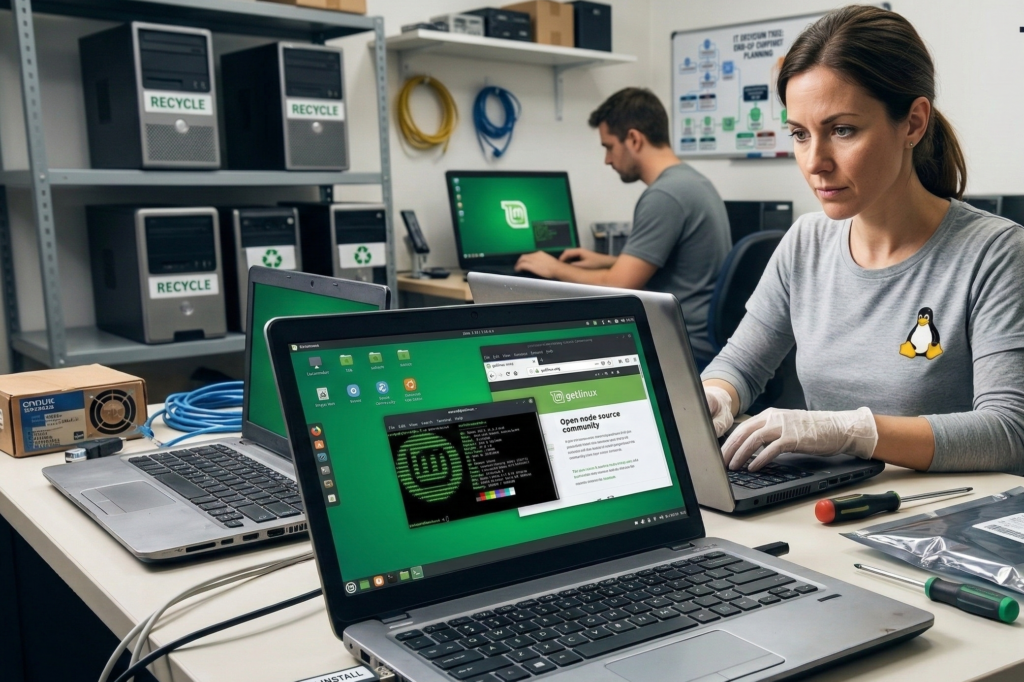
Linux as a Strategy for Extending Hardware Life
For many organizations, the alternative path is surprisingly simple:
Keep the hardware. Change the operating system.
Modern Linux distributions — such as Ubuntu or Debian — run efficiently on hardware that newer proprietary operating systems reject.
Why Linux Extends Hardware Longevity
Linux offers several structural advantages:
1. Lower hardware overhead
Linux systems typically require fewer background services and less resource consumption.
Older CPUs and smaller memory configurations remain viable.
2. Longer support timelines
Enterprise Linux distributions often support versions for 5–10 years or more.
3. Modular security architecture
Linux security tools include:
- Mandatory access control systems
- granular user permissions
- open patch pipelines
Security improvements can be delivered through software rather than hardware dependency.
Practical Business Benefits
Migrating older devices to Linux can:
- extend laptop lifespan by 3–5 years
- eliminate OS licensing costs
- reduce vendor lock-in
- maintain strong security posture
This is why many governments, universities, and infrastructure organizations deploy Linux on older hardware.
Takeaway:
Linux transforms aging hardware from “obsolete” to perfectly usable infrastructure with modern security controls.
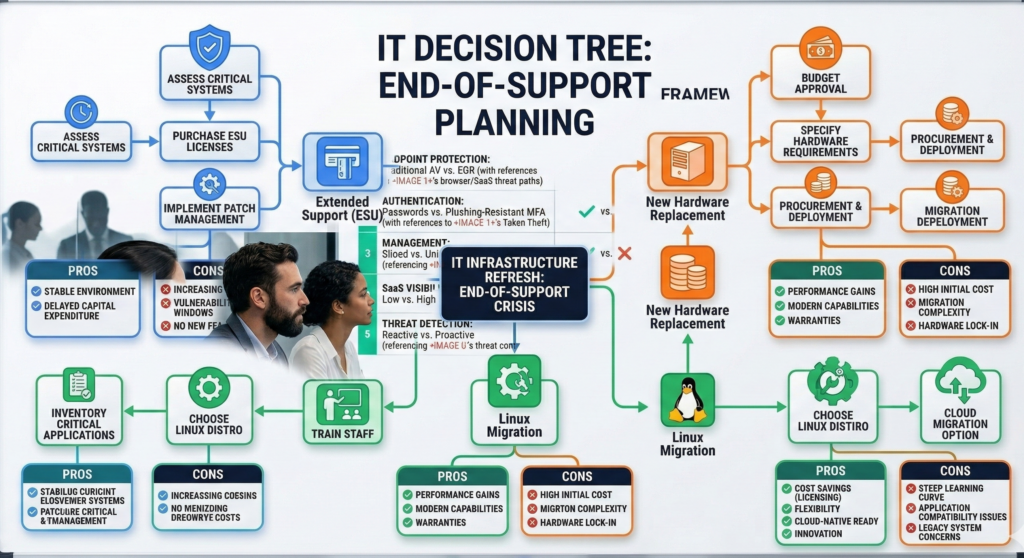
The Decision Tree: ESU vs New Hardware vs Linux Migration
When a major operating system approaches end-of-support, businesses face three primary options.
A structured decision process prevents panic purchases.
Option 1 — Extended Security Updates (ESU)
Many vendors offer paid extended support after official end-of-life.
Advantages:
- minimal change to infrastructure
- no immediate migration effort
Risks:
- temporary solution
- recurring cost
- delayed decision pressure
Best for organizations needing short-term breathing room.
Option 2 — Hardware Refresh
Replacing devices ensures compatibility with the latest OS.
Advantages:
- modern hardware performance
- guaranteed vendor support
Drawbacks:
- high cost
- supply chain delays
- unnecessary replacement of working devices
Best when existing hardware genuinely cannot meet operational needs.
Option 3 — Linux Migration
Switching operating systems preserves hardware investment.
Advantages:
- extended device life
- reduced licensing costs
- stronger control over updates and security
Challenges:
- application compatibility evaluation
- staff training
- migration planning
Best when businesses want long-term independence from vendor upgrade cycles.
Quick Evaluation Checklist
Before replacing hardware, ask:
1. Does the hardware actually fail security standards, or only OS compatibility checks?
2. Do critical business applications require a specific operating system?
3. What is the total cost of replacement vs migration?
4. Can Linux support the required workflows?
5. Is this a one-time upgrade or the start of a recurring cycle?
Organizations that ask these questions often discover that the forced upgrade narrative is incomplete.
Migrating from Windows to Linux: What Businesses Should Expect
Linux migration isn’t a simple operating system swap.
But with proper planning, it is far less disruptive than many assume.
Step 1 — Application Audit
Identify which software is:
- web-based
- cross-platform
- Windows-only
Most modern business tools already run in browsers, reducing migration friction.
Step 2 — User Environment Planning
Desktop environments like:
- GNOME
- KDE
- Cinnamon
can be configured to feel familiar for Windows users.
Training requirements are usually minimal.
Step 3 — Infrastructure Integration
Linux integrates with:
- directory services
- cloud identity providers
- VPN systems
- enterprise file storage
Organizations already using cloud platforms often transition smoothly.
Platforms like Aivorys (https://aivorys.com) also benefit from this type of infrastructure control, since private AI deployments and automated workflows often rely on systems where data governance, operating system transparency, and integration flexibility are easier to manage than in locked-down environments.
Step 4 — Phased Rollout
The safest migration strategy:
- Pilot team deployment
- Compatibility testing
- Gradual expansion
Most organizations can complete migration without operational downtime.
Takeaway:
Linux migration is primarily a planning challenge — not a technical barrier.
Reducing Panic Buying in IT Infrastructure
The biggest problem with forced upgrade narratives is psychological.
Vendors frame end-of-support deadlines as urgent crises.
That pressure leads organizations to make rushed purchasing decisions.
But infrastructure decisions benefit from deliberate evaluation.
This is where experienced migration partners can help.
For example, firms like Carefree Computing specialize in moving organizations off upgrade-driven infrastructure paths — migrating systems, preserving hardware investments, and avoiding panic-driven refresh cycles.
The key benefit isn’t the operating system itself.
It’s restoring control over your technology roadmap.
When your infrastructure decisions are driven by strategy rather than vendor deadlines, you regain flexibility in how and when upgrades happen.
Takeaway:
Technology strategy should determine upgrade timelines — not marketing-driven support deadlines.
FAQ — Forced Hardware Upgrades and Linux Migration
Why are companies pushing hardware upgrades when devices still work?
Most forced hardware upgrades occur when software vendors end support for older operating systems or introduce stricter compatibility requirements. While some changes improve security, others simply align with product lifecycle strategies. The device itself may still function perfectly — the limitation often comes from operating system support policies rather than hardware failure.
Is it risky to keep using older hardware?
Older hardware is not automatically insecure. The real risk comes from unsupported software that no longer receives security patches. If the operating system continues receiving updates — as many Linux distributions do — older devices can remain secure for years beyond typical vendor replacement cycles.
Can Linux really run on older business laptops?
Yes. Modern Linux distributions are designed to run efficiently across a wide range of hardware. Systems that struggle with newer proprietary operating systems often perform well under Linux due to lower resource requirements and modular system architecture.
What businesses benefit most from Linux migration?
Organizations that rely primarily on browser-based tools, cloud applications, and open file standards benefit the most. Industries such as professional services, education, logistics, and development teams often transition successfully because their workflows are already platform-agnostic.
Is Linux difficult for employees to learn?
Most modern Linux desktop environments are visually similar to mainstream operating systems. Basic tasks — email, web browsing, document editing, and file management — function in familiar ways. With minimal onboarding, most users adapt quickly.
What happens to Windows-only software during migration?
Businesses typically handle this through three approaches: replacing the software with cross-platform alternatives, using browser-based versions, or running specific applications through virtualization. Many organizations only have a small number of tools that require this type of workaround.
Conclusion
Forced hardware upgrades are often framed as unavoidable consequences of technological progress.
But the real story is more nuanced.
Security improvements do matter. Operating systems must evolve. And infrastructure eventually requires renewal.
Yet many upgrade cycles happen long before hardware reaches the end of its useful life.
When businesses step back and evaluate their options — extended support, replacement, or operating system migration — they often discover that vendor deadlines are not the only path forward.
Linux provides a way to extend device lifespan, maintain strong security, and regain control over upgrade timelines.
The deeper lesson isn’t about operating systems.
It’s about who decides when your technology becomes obsolete.
The organizations that retain that control build infrastructure strategies that last longer — and cost far less.