
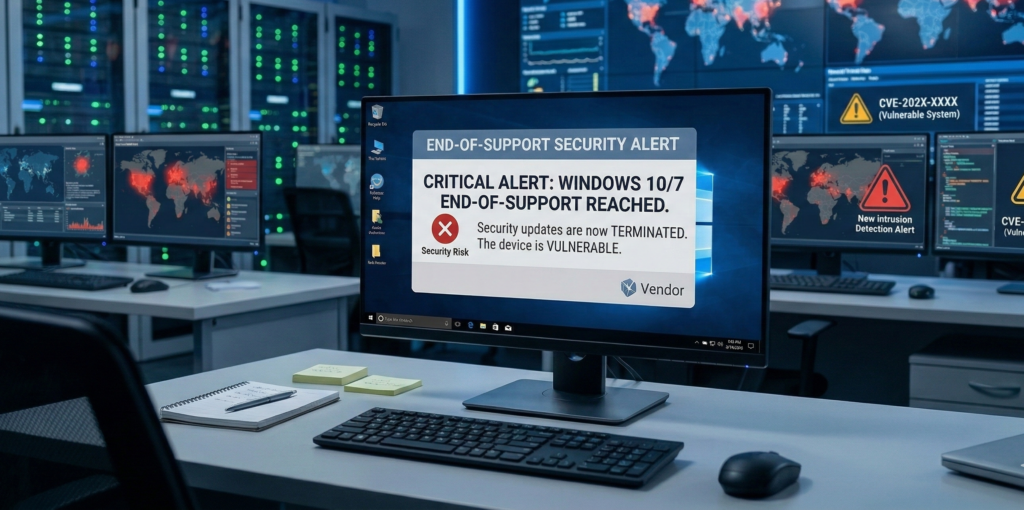
Unsupported operating systems are the infrastructure equivalent of unlocked doors.
They still function. Employees still log in. Applications still open. But the moment security updates stop, the system quietly becomes one of the most attractive entry points in your entire environment.
That’s exactly the situation approaching with Microsoft Windows 10, whose official support from Microsoft ends on October 14, 2025.
For many organizations, the instinct is to treat this as a user interface decision:
- Upgrade later
- Delay until hardware refresh
- Wait until something breaks
But operationally, Windows 10 end of support is not a usability question — it’s a security posture decision.
When a platform stops receiving patches:
- Newly discovered vulnerabilities remain permanently exploitable
- Compliance frameworks begin flagging unsupported systems
- Cyber insurance policies may tighten coverage
- Incident response becomes significantly more expensive
And attackers know exactly when that clock runs out.
This article breaks down what Windows 10 end of support actually means, the realistic migration paths available, and a structured 60–90 day transition plan organizations can use to avoid last-minute panic.
Because the right response to an OS deadline is not a rushed upgrade.
It’s a controlled migration.
What “End of Support” Actually Means Operationally
The phrase “end of support” often sounds softer than the reality it represents.
For Microsoft Windows 10, it means the following changes happen immediately after October 2025:
1. No Security Patches
When vulnerabilities are discovered — and they will be — they will not be patched for Windows 10 systems.
Attackers actively monitor these events.
Once a flaw becomes public in supported systems like Microsoft Windows 11, attackers often reverse-engineer the fix to exploit the same flaw on unsupported systems.
The result: Windows 10 becomes a permanent vulnerability target.
2. Compliance Exposure
Many regulatory and governance frameworks require supported operating systems, including:
- HIPAA environments
- Financial data systems
- Legal document management platforms
- Insurance and security audits
Running unsupported infrastructure can trigger:
- Audit findings
- Vendor support restrictions
- Cyber insurance complications
Even if systems technically function, compliance exposure increases significantly.
3. Vendor Support Limitations
Software vendors frequently follow OS lifecycle policies.
Applications may eventually stop supporting Windows 10 versions for:
- Security integrations
- Authentication updates
- API compatibility
This means the longer organizations wait, the harder migration becomes.
Operational takeaway:
End-of-support is not about features. It is about risk accumulation over time.
The Four Realistic Paths After Windows 10 Support Ends
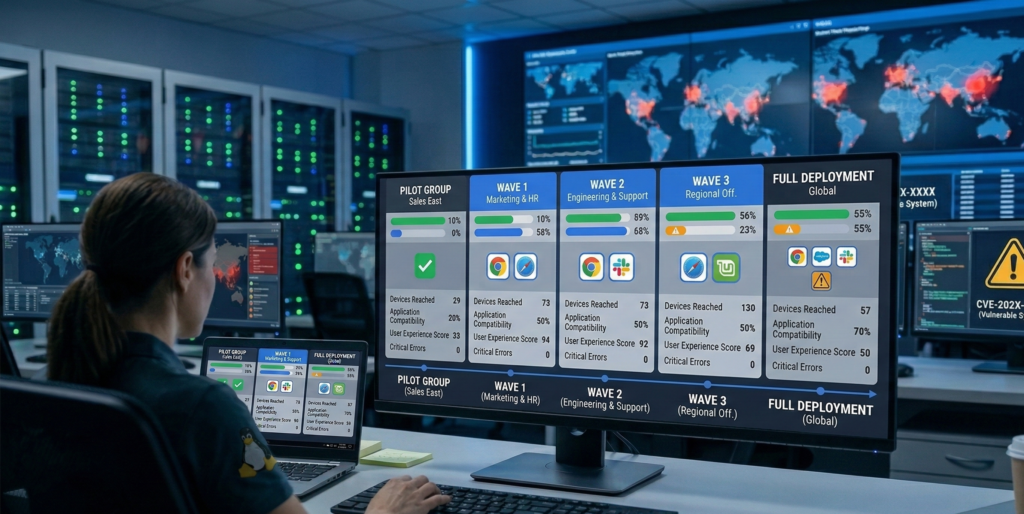
Organizations generally have four options once support ends.
Each carries different trade-offs in cost, risk, and operational disruption.
1. Extended Security Updates (ESU)
Microsoft Extended Security Updates provide paid patches after the official support window.
This is typically designed for temporary transition periods, not long-term strategy.
Characteristics:
- Yearly subscription cost per device
- Limited security patches only
- No feature updates
- Pricing escalates annually
ESU is best used when:
- Critical applications require additional migration time
- Hardware refresh cycles are underway
- Large environments need phased replacement
Think of ESU as a buffer — not a solution.
2. Upgrade to Windows 11
The most straightforward option is migrating to Microsoft Windows 11.
However, many environments encounter a major constraint:
Hardware Requirements
Windows 11 requires:
- TPM 2.0
- Modern CPU architectures
- Updated firmware configurations
Older devices often fail these checks.
This forces organizations into:
- Hardware replacement
- Virtual desktop strategies
- Hybrid infrastructure approaches
3. Migration to Linux
Some organizations are exploring Linux distributions as an alternative.
Linux can work well when environments rely heavily on:
- Browser-based applications
- Cloud SaaS tools
- Remote desktops
- Development environments
However, challenges often appear with:
- Legacy Windows-only software
- Specialized peripherals
- Staff training
Linux migrations succeed when application compatibility is validated early.
4. Hybrid Strategy
Many organizations adopt a mixed approach:
- Windows 11 for user endpoints
- Linux servers or developer environments
- Virtual desktops for legacy Windows apps
Hybrid environments reduce disruption while enabling gradual modernization.
Decision takeaway:
The best migration path depends less on preference and more on application dependency mapping.
Why Phased Migration Beats the “Big Bang” Upgrade
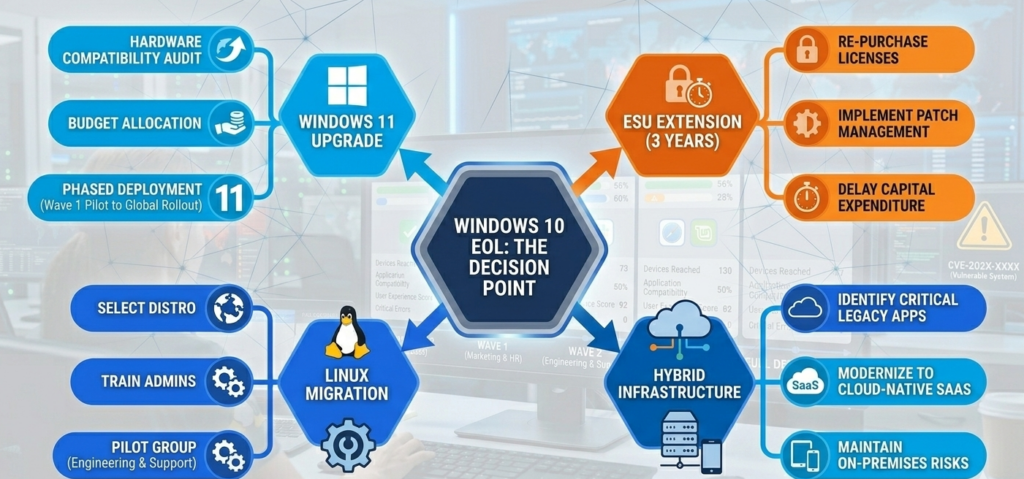
A common mistake in infrastructure transitions is the all-at-once migration.
On paper it seems efficient.
In practice it creates operational risk.
Phased migrations reduce three critical failure points.
1. Application Compatibility Surprises
Large organizations often run dozens or hundreds of internal applications.
Some of them:
- Depend on outdated drivers
- Require legacy frameworks
- Break under newer security models
Testing these systems gradually avoids major outages.
2. User Training and Adaptation
Even modest UI changes can disrupt workflows.
Phased deployments allow:
- pilot groups
- department testing
- incremental training
Small adjustments early prevent organization-wide confusion later.
3. Infrastructure Bottlenecks
Large upgrades frequently expose issues like:
- network saturation
- patch distribution failures
- endpoint management limitations
Testing in waves helps IT teams stress-test infrastructure safely.
Operational insight:
Infrastructure migrations succeed when they behave like projects, not events.
This is why managed migration teams — including firms like Carefree Computing — typically structure OS transitions as staged deployments with validation checkpoints instead of last-minute rollouts.
The goal is stability, not speed.
Migration to Linux from Windows: When It Actually Makes Sense
Linux migration conversations often start with cost.
But cost savings alone rarely justify the switch.
Successful transitions usually share three characteristics.
1. Cloud-First Workflows
If most daily work happens inside:
- browsers
- SaaS tools
- cloud storage platforms
Then the operating system becomes largely interchangeable.
Linux can function seamlessly in these environments.
2. Developer or Technical Teams
Engineering teams frequently prefer Linux because of:
- container environments
- native package managers
- scripting flexibility
- open-source tooling
For these groups, Linux may actually improve productivity.
3. Virtualized Legacy Applications
Older Windows software can remain accessible through:
- virtual machines
- remote desktop environments
- application streaming
This approach allows organizations to retain compatibility while transitioning endpoints.
Reality check:
Linux migrations work best when application requirements drive the decision, not ideology.
A Windows Migration Readiness Checklist (Use Before Any Upgrade)
Before committing to a migration strategy, IT leaders should complete a structured readiness review.
Use this checklist as a quick evaluation framework.
Infrastructure Readiness
- Inventory all Windows 10 devices
- Identify hardware incompatible with Windows 11
- Validate TPM and firmware status
- Confirm endpoint management coverage
Application Compatibility
- Catalog business-critical applications
- Identify Windows-only dependencies
- Test critical software on Windows 11 or Linux environments
- Confirm vendor support policies
Security and Compliance
- Review regulatory OS support requirements
- Validate endpoint detection compatibility
- Ensure patch management coverage
User Impact
- Identify high-risk departments (finance, legal, operations)
- Plan pilot group testing
- Prepare onboarding documentation
Deployment Logistics
- Define phased rollout groups
- Establish rollback procedures
- Schedule migration windows
Practical takeaway:
Migration failures almost always trace back to missing application inventory or hardware validation.
A Practical 60–90 Day Windows Migration Plan

Organizations starting preparation today can complete a safe migration within roughly three months.
Here is a simplified project structure.
Phase 1 (Weeks 1–3): Discovery
Objectives:
- Complete device inventory
- Audit application dependencies
- Identify incompatible hardware
- Define migration strategy
Deliverable: Environment readiness report
Phase 2 (Weeks 4–6): Pilot Deployment
Objectives:
- Deploy Windows 11 or Linux to pilot users
- Test line-of-business applications
- Evaluate performance and compatibility
Deliverable: Validated configuration baseline
Phase 3 (Weeks 7–10): Phased Rollout
Objectives:
- Deploy upgrades department-by-department
- Monitor endpoint performance
- Resolve edge cases
Deliverable: Environment stabilization
Phase 4 (Weeks 11–12): Decommissioning
Objectives:
- Retire unsupported Windows 10 machines
- Confirm patch compliance
- Document final configuration
Deliverable: Post-migration audit confirmation
Strategic insight:
When migration timelines are defined early, organizations move from reactive upgrades to planned infrastructure evolution.
Frequently Asked Questions
When does Windows 10 support officially end?
Support for **Microsoft Windows 10 ends on October 14, 2025. After this date, Microsoft will no longer release security patches, bug fixes, or technical assistance for most versions of the operating system. Systems can still run, but newly discovered vulnerabilities will remain permanently unpatched.
What are Extended Security Updates for Windows 10?
**Microsoft Extended Security Updates (ESU) are paid subscriptions that provide limited security patches after official support ends. They are designed as temporary transition solutions for organizations that need more time to migrate to newer platforms such as Windows 11.
Is upgrading to Windows 11 mandatory?
No operating system upgrade is technically mandatory. However, running unsupported systems increases security risk, compliance exposure, and software compatibility issues over time. Most organizations transition to **Microsoft Windows 11 or alternative platforms to maintain security updates.
Can businesses migrate from Windows to Linux?
Yes, many organizations successfully move to **Linux environments. This works best when workflows rely heavily on browser-based applications or cloud platforms. Legacy Windows software may require virtualization or remote desktop access.
What is the biggest risk of staying on Windows 10 after support ends?
The largest risk is unpatched security vulnerabilities. Attackers often target unsupported systems because newly discovered flaws remain exploitable indefinitely. Over time, unsupported operating systems become one of the most common entry points in enterprise breaches.
Conclusion
Operating system lifecycles rarely feel urgent until the final months arrive.
Then the deadline becomes real — and organizations suddenly scramble to upgrade hundreds or thousands of machines at once.
But the organizations that navigate infrastructure transitions smoothly rarely treat them as last-minute tasks.
They treat them as planned operational projects.
The approaching Windows 10 end of support deadline is ultimately a decision about risk tolerance, operational discipline, and long-term infrastructure strategy.
Handled early, it becomes an opportunity to modernize systems, strengthen security posture, and simplify endpoint management.
Handled late, it becomes an emergency.
And in IT operations, emergencies are always the most expensive way to upgrade anything.