
Can a single PC truly run Linux, Windows 10, and Windows 11 without turning routine changes into a disaster?
You’ll start by clarifying the goal: run all three systems on one machine while keeping your data intact and your recovery path clear. Object First positions Absolute Immutability as ransomware‑proof on‑premises storage that prevents destructive access through a “Zero Access” model.
This service frames backup first security as the organizing strategy: plan protection and recovery before you touch partitions, hypervisors, or user accounts. Expect practical guidance on storage isolation, access controls, and tested backups that survive ransomware and operator mistakes.
We preview key choices—dual/tri‑boot versus virtualization—and explain why each use case changes how you protect data and design recovery. The aim is business resilience: less downtime, fewer irreversible errors, and a clear path to recovery when an event happens.
Key Takeaways
- Plan protection and recovery before you change disks or hypervisors.
- Use storage isolation and access controls to limit destructive actions.
- Choose dual/tri‑boot or virtualization based on how you use the machine.
- Tested backups and immutable storage reduce downtime and data loss.
- This service focuses on resilience, not just making systems work.
Run Multiple Operating Systems on One PC Without Turning It Into a Data-Loss Event
When you pack several OSes onto one computer, the number of ways things can go wrong multiplies fast.
Boot loaders, shared disks, shared credentials, and staggered patch cycles each add potential failure points. A mistaken partition change or an overwritten boot entry can turn a routine update into a serious loss event.
Why dual-boot, tri-boot, and virtualization multiply your risk surface
More OSes mean more places an attack can start. If one system is compromised, shared volumes and credentials let damage spread faster.
That larger attack surface also raises the chance a small mistake becomes a full data incident.
What “safe” means in 2026: recovery time, access, and ransomware resilience
Safe is practical: you must be able to restore systems and crucial data within a recovery time window you can tolerate — not an idealized target.
If backups or recovery copies are reachable or deletable from any OS, ransomware multiplies impact. Design around isolation so a fast PC doesn’t mean slow recovery.
- Reasons for multi‑OS setups in the US: dev and testing, legacy apps, gaming, and compliance separation.
- Match the use case to recovery methods: dual‑boot speed often needs separate physical disks; VMs trade performance for containment.
“Plan recovery paths that match how you actually use the machine — speed without recoverability is a false economy.”
Common Threats When Linux and Windows Share Hardware, Storage, and Users
Running two or three OSes on one PC raises predictable risks. Attackers and mistakes both target the same weak points: shared volumes, overlapping accounts, and careless privileges.
Ransomware often goes after backup data first to block recovery and increase leverage.
- Deliberate attacks: malware may encrypt, corrupt, or delete copies on shared drives so you cannot restore.
- Human errors: a mistyped disk format, an admin script, or an edited boot loader can remove partitions or erase recovery points.
- Configuration drift: mismatched drivers, BitLocker and LUKS changes, or hypervisor updates create gaps that attackers exploit over time.
- Account sprawl: multiple local, cloud, and VM users make auditing and limiting access hard—so one compromised user can do outsized damage.
Define clear control boundaries: who can touch storage, who can delete recovery copies, and who can change boot entries.
“Isolate copies and enforce least‑privilege access to reduce exposure to accidental or malicious loss.”
Your OS Layout Options: Dual-Boot vs Virtual Machines vs Hybrid Setups
Your layout choice sets the rules for performance, recoverability, and how complex restores become. Pick the model that fits your use case rather than forcing one across tasks.
Dual-boot / tri-boot: fast performance, higher operational risk
Dual-boot gives the best raw performance because each OS runs on bare metal. It is ideal for gaming or latency‑sensitive workloads.
But all installs touch the same boot path and often the same disk layout. That raises operational risk and complicates recovery when partitions or boot entries get changed.
Virtualization: containment benefits and new protection requirements
Running Windows and Linux as VMs contains faults to guest images and hypervisor configs. You reduce the blast radius between OSes.
Virtual machines change what you must protect: VM images, hypervisor settings, and guest data need regular copies and tested recovery processes.
Hybrid approach: one primary OS with isolated workloads
The hybrid model keeps one primary OS for daily work and runs the other systems in isolated VMs. This balances performance and containment.
Example: run Windows 11 on bare metal for games and a Linux VM for development. Or use Linux bare metal and Windows 10/11 VMs for legacy apps.
“Match your product and tooling to the recovery level the layout creates — don’t improvise after an incident.”
- Compare by: uptime, rollback speed, and ease of restore.
- Tradeoffs: dual‑boot = speed, more operational risk; VMs = containment, more storage and configuration overhead.
- Pick a strategy that ties to your data handling, recovery goals, and tooling needs.
Designing Storage So One OS Can’t Break Another
A good storage design makes cross‑OS mistakes survivable, not catastrophic. Think of layout and mounts as your primary containment. Plan so a bad update, mistaken partitioning, or malware on one OS cannot erase the rest.
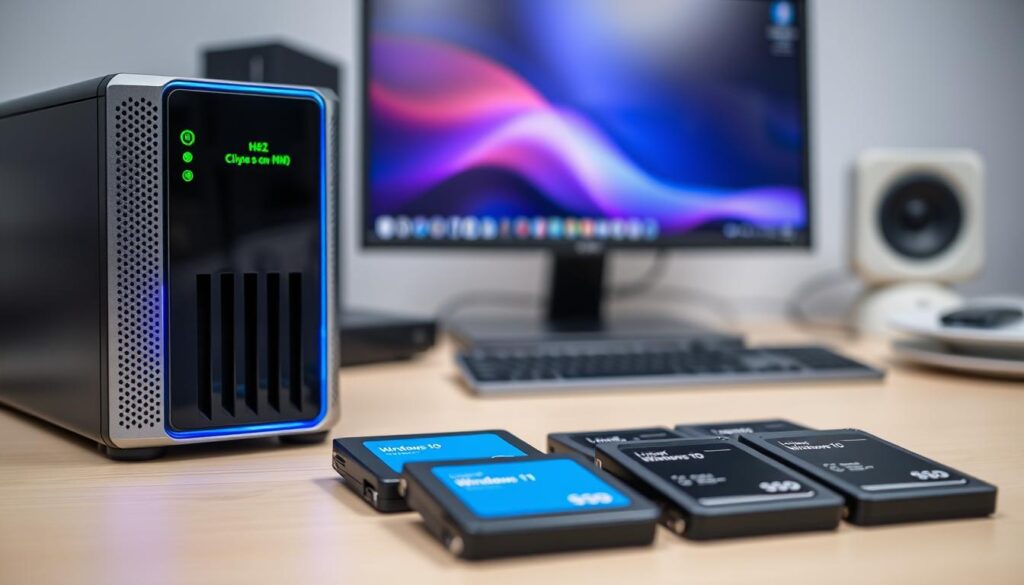
Separate disks vs partitions: minimizing blast radius
Use separate physical disks when you can. Partitions are convenient, but they share the same failure domain.
If one disk is damaged or a boot loader is overwritten, partitions on that disk are all at risk. Separate disks reduce cross‑OS impact and simplify restores.
Encryption choices for shared and dedicated volumes
Pick an encryption model that matches your operations. Vendor‑managed keys are easy; bring‑your‑own‑key (BYOK) gives you extra control.
Only grant decryption where needed. Use per‑disk or per‑volume keys so one OS cannot silently mount another OS’s volumes.
Keep production data separate from backup storage
Segregate production data from backup storage so your copies aren’t just another mounted drive. AvePoint and similar platforms recommend isolating and storing copies outside the production domain.
Use safe copy data workflows: stage files in a controlled folder, enforce tight permissions, and expose read‑only mounts for cross‑OS transfers. This way moving files between environments does not become the weak link.
“Design for failure: isolate disks, segregate copies, and limit who can change mounts or keys.”
backup first security: Your Strategy Before You Install or Migrate Anything
Before you touch disks or installers, inventory the systems, apps, and user files that must be recoverable. That list drives every choice you make about layout, encryption, and access.
Define what you must be able to restore: system, apps, and user data
Split restore scope into three layers: full system images, application configs, and user data. Each layer needs a different cadence and method.
Full images let you rollback OS or boot problems fast. App/config copies save time recreating settings. User files are your day‑to‑day recovery priority.
Pick recovery goals that match real downtime tolerance
Set realistic recovery time objectives based on how long you can operate without the machine. Use those goals to choose retention, frequency, and where copies live.
Decide where copies live: local, on‑prem object storage, cloud, or mixed
Prefer a mixed approach. Keep a local quick-restore copy and an isolated, immutable object copy for disaster resilience. Object First’s S3‑native on‑prem option with Absolute Immutability gives fast restores and flexible consumption (CapEx or pay‑per‑use).
- Workflow: inventory → set recovery targets → choose layout and storage.
- Example: one local quick-restore + one isolated immutable copy + optional cloud tier.
This is an implementable service you can buy and operate with ongoing support, not a checklist you’re left to interpret.
Immutability and Ransomware Defense for Backups
True immutability turns your recovery copies into an untouchable last line of defense. Define it operationally: once written, recovery copies cannot be modified or encrypted during the retention window — not by admins, apps, or attackers.
What operational immutability means
Retention enforcement must stop all write and delete actions for the set period. Validate claims by checking retention logs, enforcement APIs, and third‑party test reports such as NCC Group assessments.
Absolute Immutability as a ransomware-proof layer
Object First markets Absolute Immutability with a Zero Access model that removes destructive controls. That design preserves known-good copies when ransomware encrypts production volumes.
WORM and immutable object options
Use WORM or immutable object storage (for example, customer-owned immutable Azure Blob Storage) when you need legal hold or regulated retention.
| Option | Use Case | What to Validate |
|---|---|---|
| Object First Absolute Immutability | Ransomware defense, fast restores | Retention enforcement, Zero Access, NCC Group test |
| WORM (on-prem/cloud) | Regulatory holds, long retention | WORM policy audits, customer-controlled keys |
| Immutable Blob Storage | Hybrid cloud retention | Legal hold support, access controls |
Eliminate dangerous delete rights
Remove any role that can delete backup data during retention. In many attacks, delete backup actions are the fastest way to prevent recovery.
“Making deletion impossible during retention is often more effective than simply keeping more copies.”
Zero Trust Access Control That Protects Backups From Users and Admins
Protecting recovery copies starts with treating every access request as untrusted until proven safe. Apply Zero Trust to how people and services reach stored copies, not just to network traffic.
Zero trust architecture basics applied to backup data
Never assume a workstation, admin account, or OS is safe. Require authentication, device posture checks, and context before granting any access to recovery artifacts.
Least privilege and role-based access to prevent destructive actions
Use RBAC so everyday users and most admins cannot delete or alter copies. Split roles: operators run jobs, approvers authorize restores, reviewers audit events.
“Zero access” design: limiting direct access to backups through UI or API
Limit direct interface and API exposure to raw copy storage. Force controlled restore or export workflows so no single account can erase retention-protected data.
“Reduce the number of armed users—separate duties so one compromised account cannot cause total loss.”
| Control | Purpose | What to verify |
|---|---|---|
| RBAC roles | Minimize who can modify copies | Role separation, least privilege tests |
| Zero Access model | Block direct delete via UI/API | UI/API restrictions, controlled restore flow |
| Service account limits | Reduce cross-OS exposure | Scoped keys, per-OS credentials, audit logs |
Encryption From Source to Storage: In-Transit and At-Rest Standards
Encrypting data on the path from your machines to the repository stops many cross‑OS threats before they reach storage. Use strong transport and disk encryption so traffic that crosses virtual switches, LAN segments, or Wi‑Fi cannot be read or tampered with.
TLS 1.2 and 1.3 for all connections
Ensure every agent‑to‑target and management connection uses TLS 1.2 or TLS 1.3. That includes control channels, metadata sync, and restore sessions.
Why it matters: encrypted connections reduce the chance that a compromised VM or OS can intercept or alter transfer data.
At‑rest models: managed keys vs. BYOK
At rest, many vendors default to vendor‑managed unique keys per tenant. That is simple and effective for most setups.
If you need tighter control, choose bring‑your‑own‑key (BYOK). BYOK separates duties and keeps decryption under your policies.
Remember: encryption is not the same as access control. You must pair encrypted transport with strict identity and authorization checks so encrypted channels don’t become open windows.
“Encrypt everything in motion and at rest, and document keys and procedures so restores never fail because credentials are missing.”
| Layer | Expectation | What to verify |
|---|---|---|
| In‑transit | TLS 1.2/1.3 on all connections | Cipher suites, certificate validity, forced TLS only |
| At‑rest (managed) | Vendor‑managed unique tenant keys | Key rotation policy, tenancy isolation |
| At‑rest (BYOK) | Customer‑owned keys for tighter control | Key escrow, access logs, separation of duties |
Finally, link source‑to‑storage encryption with restore workflows. Test restores with production keys in a safe window. Verify you can access data before you rely on it for incident recovery.
Air-Gapped and Isolated Backups for Mixed OS Configurations
Not all isolation looks the same. You need a practical strategy that keeps your recovery copies out of reach for compromised Windows or Linux installs while still letting you restore fast when needed.
Logical air gaps vs physical isolation
Logical air gaps separate networks, roles, and access controls so copies cannot be reached from production paths.
Physical isolation means offline or off‑network copies that are not addressable by your daily OSes. Use physical isolation when risk tolerance is high.
Segregate copies outside production
Do not expose copy targets as normal mounted volumes. Put them on distinct segments or an immutable object target that production machines cannot write to directly.
How isolation lowers impact
When an attack reaches a host, isolated copies limit the attacker’s ability to encrypt or delete last-good data. That reduces overall impact and shortens recovery time.
Small-environment example and validation checklist
Example: keep a local fast-restore copy plus a second immutable copy written to an isolated target off the production network.
- Validate network segmentation and firewall rules.
- Confirm authentication boundaries and unique credentials.
- Verify production accounts cannot access isolated storage.
“Isolation is a practical way to reduce attack paths without making daily work unusable.”
Push vs Pull Backup Models: Reducing Attack Surface in Real Networks
Control flow determines whether your source just sends data or must also interpret server instructions. That difference changes which code paths you must trust and harden.
Why bidirectional control logic can increase attack surface
In a push model, the source initiates transfers and implements a mostly one-way protocol. The source sends data and obeys a small set of commands.
Pull models require the source to accept and parse more server-side messages. That added logic increases complexity and gives an attacker more inputs to exploit.
When a “more trusted backup server” model helps — and when it becomes risky
A hardened, well-segmented central server works well in tightly managed environments. It simplifies operations and centralizes policy enforcement.
But centralization creates a single point of failure. If that server is compromised, attackers gain a high-value target that touches many sites and connections.
Practical reasons to choose one design over the other:
- Remote sites: push reduces remote parsing needs on constrained hosts.
- Mixed OS environments: pull can ease auth complexity but increases source exposure.
- Restore ownership: pick the model that matches who must initiate restores and audits.
| Model | Who interprets control | Pros | Cons |
|---|---|---|---|
| Push | Source | Smaller source attack surface, simpler one-way flow | Requires outbound connections; less centralized control |
| Pull | Source + Server (bidirectional) | Easier central policy, fewer outbound requirements | More parsing at source, larger attack surface |
| Trusted Central Server | Server | Simplified ops, unified auth | SPoF risk, high-value target for attackers |
“Design control flows so they support your immutable storage and access limits, not undermine them.”
Compliance Realities: Restoring Access Fast While Honoring Deletion Requirements
You face a practical compliance problem: restore access quickly after incidents, yet remove personal data when required.
Regulators like GDPR force you to balance recovery needs with the right to be forgotten. AvePoint and industry guidance describe this tension: you must provide timely access while being able to delete backup copies when policy allows.
Balancing access and deletion in practice
Design your retention and restore flows so that quick recovery does not mean broad, ongoing access to stored data. Use role separation and controlled export paths to limit who can read or move copies.
Defensible destruction: an operational checklist
- Verify the requester’s authority and the DSAR case details.
- Confirm retention windows and whether deletion is permitted.
- Execute deletion only with documented approvals.
- Record audit evidence of actions and confirmations.
How immutability aids audits while limiting exposure
Immutable copies preserve integrity for auditors and legal review. At the same time, governance should restrict exports so reviewers can validate data without granting live access.
“Defensible destruction gives you a repeatable, auditable way to delete data without weakening recovery or compliance posture.”
| Requirement | Action | What to document |
|---|---|---|
| Restore access | Isolated quick-restore copies, tight RBAC | Authorization logs, restore timestamps |
| Delete backup data | Verified deletion workflow after retention check | Approval records, hash of removed items |
| Audit support | Immutable, read-limited copies for reviewers | Immutable IDs, audit trail exports |
In healthcare, finance, and SaaS cases, mistakes carry legal exposure. Your service model should provide the hands-on support to handle edge cases like DSAR deletions without weakening your overall posture.
Service Deliverables: What You Get When You Hire Help to Implement Backup-First Multi-OS
Get a packaged offering that maps product choices to measurable recovery outcomes and timelines. This service turns your tri‑boot or VM plan into a written design, an implemented target, and repeatable tests so you know restores work when time matters.

Configuration and design
You’ll get a configurations workshop and a formal design that matches your tri‑boot or VM approach.
The deliverables list exact storage layout choices, separate disks or volumes, shared data boundaries, and access control rules so your environment is maintainable.
End-to-end service setup
The team will set up the backup service repository, immutability settings, encryption, and retention schedules.
Routine recovery testing and documentation are included so you can validate clean recovery points before an incident.
Operational support and monitoring
Operational support includes monitoring for unusual activity and help identifying clean recovery points, following alerts similar to AvePoint guidance.
Staff will advise what to restore first to reduce downtime and will log actions for audits.
Scaling and product mapping
Options scale from a single power user or ROBO/SMB (8–24 TB Mini) to mid‑market and enterprise appliances (20–432 TB).
Object First product features—15‑minute deployment, automatic updates, and Supercharged Instant Recovery at up to 8 GB/s—are mapped to outcomes like immutability and zero‑access destructive limits.
| Deliverable | What it includes | Typical outcome |
|---|---|---|
| Configurations workshop | Workgroup, tri‑boot/VM mapping, storage decisions | Written design, implementation plan |
| Backup service setup | Repository selection, immutability, encryption, retention, tests | Tested restores, documented recovery steps |
| Operational support | Monitoring, alerting, recovery point ID, restore guidance | Faster recovery time, auditable actions |
| Scaling plan | ROBO to enterprise sizing, CapEx or pay‑per‑use options | Right‑sized product, predictable performance |
“You will have a clear week‑1 rollout and a month‑3 validation plan so customers know what to expect and when.”
Conclusion
Finish by turning theory into a short checklist you can run this afternoon.
Most multi‑OS failures come from unclear recovery goals, shared storage without boundaries, and overly broad access to backups.
Your practical strategy is simple: define what must be restorable, enforce immutability for recovery copies, and remove any ability to delete backup or delete backup data from normal user and admin paths.
Quick example checklist: pick a primary OS, decide what to virtualize, isolate your backup targets, and run a full restore test.
Good at any level means recoverable backups on a schedule, least‑privilege access, and a supportable long‑term design.
Next steps: engage support for a design review, validate your backup source and target assumptions, and confirm the approach fits your industry needs. Keep copy data workflows governed and logged — they are not a substitute for real backups.
FAQ
How can you run Linux, Windows 10, and Windows 11 on one computer without risking data loss?
You isolate operating systems with separate physical drives or strong partitioning, use virtualization to contain each environment, and plan recovery goals before you install. Keep system images, application configs, and user files in distinct stores and verify your recovery process with routine tests so you can restore quickly after an event.
Why do dual-boot, tri-boot, and virtual machines increase your risk surface?
Multiple boot paths and shared hardware introduce more vectors: misconfigured bootloaders, accidental writes to the wrong partition, and credential sprawl across accounts. Virtual machines reduce some risk by containing processes, but they add new requirements for isolated snapshots and service-level protections.
What does “safe” mean in 2026 when considering recovery time, access, and ransomware resilience?
Safe means defined recovery time objectives (RTO) and recovery point objectives (RPO), immutable copies for critical retention windows, encrypted transports and at-rest storage, and minimal direct access to copies. It also means regular recovery drills and documented roles so an incident doesn’t become a widespread outage.
How does ransomware target copies and recovery data?
Attackers look for writable or exposed storage, admin credentials, and APIs that allow deletion. They encrypt or delete copies, corrupt snapshots, and manipulate retention settings. Prevent this by using tamper-resistant storage, least-privilege access, and strict controls on deletion permissions.
What common mistakes cause accidental deletion or partition errors when sharing hardware?
Mistakes include wrong partition selection during installs, overwriting shared mounts, and inconsistent labeling of volumes. Use clear disk maps, mount by UUID, and keep production data separate from experimental or testing volumes to reduce human error.
How does credential and access sprawl affect multi-OS setups?
Multiple OS accounts and admin privileges lead to excessive permissions that attackers can exploit. Centralize identity, enforce role-based access, and rotate keys and credentials. Apply zero trust principles so no single account has unchecked deletion or modification rights.
When should you choose dual-boot, virtualization, or a hybrid approach?
Choose dual-boot when you need native performance and accept higher operational risk. Use virtualization when you need isolation, easier snapshots, and controlled network boundaries. Use a hybrid layout when one primary OS handles daily work and isolated VMs run risky or legacy tasks.
Which is safer: separate disks or partitions for different OSes?
Separate disks minimize blast radius and are safer. Partitions can work if you enforce strict access controls and use encryption, but physical separation reduces accidental cross-writes and makes recovery simpler.
What encryption considerations matter for shared and dedicated volumes?
Use full-disk encryption for OS drives and strong volume-level encryption for shared data. Decide between managed keys or bring-your-own-key models based on your control and compliance needs. Ensure key recovery mechanisms are secured and tested.
How do you keep production data separate from recovery copies?
Store copies on isolated media or external object storage with strict access controls. Implement logical air gaps or immutable retention so production incidents cannot alter or delete recovery copies. Regularly verify the integrity of those copies.
What should your strategy be before you install or migrate any OSs?
Define critical assets, set clear RTO/RPO targets, map where copies will reside (local, on-prem object storage, cloud, or mixed), and document procedures for restore and verification. Treat planning as the first operational step to avoid costly misconfigurations.
What does “true immutability” for copies mean?
True immutability means copies cannot be modified or removed during their retention window, even by admins or APIs. Implement WORM or immutable object storage and lock retention policies to ensure copies remain tamper-resistant against destructive threats.
Why are delete-permissions for copies a top-tier risk?
If an attacker or misconfigured admin can delete copies, you lose your ability to recover. Remove blanket delete rights, enforce separation of duties, and use retention locks so deletion requires multi-step, auditable processes.
How do zero trust principles protect copies from users and admins?
Zero trust limits implicit trust—every access request is verified, and least-privilege roles restrict actions. Implement just-in-time elevation, strong MFA, and audit trails so neither users nor administrators can directly compromise recovery stores.
What in-transit and at-rest encryption standards should you use in mixed-OS environments?
Use TLS 1.2/1.3 for all network transfers and strong at-rest algorithms such as AES-256. Employ key management that fits your control needs—KMS from cloud providers or your own BYOK solution—and ensure every OS uses supported, updated crypto libraries.
When should you use logical air gaps versus physical isolation for copies?
Use logical air gaps (policy and network segmentation) for agile, frequent recovery needs when you can enforce strict access controls. Choose physical isolation for highest-risk data or long-term retention when cost allows. Both reduce attack paths but differ in flexibility.
How does segregation of copies outside production reduce attack impact?
Segregation prevents lateral movement from compromised hosts to recovery stores. Keeping copies on separate networks or storage clusters ensures attackers can’t easily pivot to encrypt or delete your retained data.
What are push vs pull models for creating copies, and which reduces attack surface?
In push models, protected systems send data to a trusted service; in pull models, a central server retrieves data from endpoints. Push reduces centralized credential exposure but requires secure outbound connections. Pull can create a single point of failure if that server is compromised.
How do you balance compliance for fast recovery and deletion obligations like “right to be forgotten”?
Map retention and deletion requirements against recovery needs, and implement defensible destruction processes. Use immutable copies for auditability, and design deletion workflows that verify identity, retention expiry, and legal holds before removing data.
What deliverables should you expect when hiring help to implement a multi-OS, copy-first strategy?
Expect configuration designs for tri-boot or VM setups, storage and access control plans, immutability and encryption implementations, recovery testing, monitoring for suspicious activity, and scaling guidance from remote office to enterprise levels.
How often should you test restores and what should you validate?
Test restores at least quarterly for critical systems and after every major change. Validate bootability, data integrity, application behavior, and that recovery meets your RTO/RPO targets. Document outcomes and adjust configurations as needed.