
Surprising fact: about 35% of Americans report internet addiction, and over half say they are hooked to their phone—behavior that rose sharply after the pandemic.
I noticed that longer online hours and more apps made secure access more fragile. When people juggle tasks, notifications, and deadlines, mistakes happen at the moments that matter most.
I shifted my focus from prevention-only to a practical recovery mindset built for real life. I assume disruption will happen — phishing, lost devices, leaked credentials, outages — and I plan how to restore safe operations, access, and confidence.
Secure remote access must work amid distraction. My approach ties the threat landscape to daily routines and the support I design so teams can stay productive and safe.
Key Takeaways
- Remote work normalization increased online time and slip-ups.
- Short attention spans and alerts raise the odds of security mistakes.
- I plan for fast, safe restoration, not just file return.
- Access solutions must be usable under real-life pressure.
- This article shares practical, first-person steps and team lessons.
Remote work changed the threat landscape and raised the stakes for recovery
Remote work rewired daily risk: more logins, more devices, and many more moments where mistakes matter.
Why this matters: I now count security as dozens of small decisions every day. Each login from a home network, a cloud app approval, or a quick tap on a link adds exposure.
Why “always connected” creates more exposure, more time online, and more ways to slip up
Always-on collaboration means more messages, shared links, and approvals. That raises the odds that one fast mistake becomes an incident.
When people are rushed or tired, phishing succeeds more often. Higher screen time and distraction feed that risk.
What I learned from post-pandemic behavior shifts and rising tech dependence in the U.S.
About 35% of Americans report internet addiction and over half report phone addiction. These shifts affect attention, stress, and mental health.
That change raises stakes: work, banking, and health services live on the same devices. Outages or compromises hit life, not just work.
| Factor | Daily Impact | Primary Risk | Fix I Use |
|---|---|---|---|
| Multiple logins | More frequent authentication | Credential fatigue | Centralized identity with MFA |
| Personal devices | Mixed personal/work use | Cross-contamination | Device isolation and policies |
| High screen time | Reduced attention | Clicking under stress | Structured breaks and training |
| Always-on apps | More shared links | Unsafe approvals | Clear escalation paths |
What secure remote access really means in everyday life
I treat access as an ecosystem: identity (who I am), device trust (what I use), network context (where I connect), and app permissions (what I can reach) must behave as one unit.

Identity, devices, networks, and apps as one connected environment
Identity ties to verified users. Devices need clear trust checks. The network and apps must share context so access decisions are consistent.
Why secure access is also practical support
Secure access should reduce friction, not add it. Good support includes clear login flows, reliable MFA, usable password managers, and fast IT help.
When help is slow, people improvise. That shortcut often creates larger problems.
Common weak points I see when teams move fast
- Shared accounts and unmanaged devices that spread access.
- Stale access for contractors and over-permissioned cloud apps.
- Temporary exceptions that never end and break the program.
What I look for: consistent policies, short training sessions, measurable hygiene, and a safe lockout process that speeds identity checks and rapid restoration when something breaks.
My computer recovery mindset for the future
I assume disruptions will happen and I design plans that guide a fast, safe return.
Recovery as a process, not an event
Preparation, detection, containment, restoration, and learning form the stages I follow. Each stage is a small, repeatable part of a larger plan.
Thinking like a responder
I pre-decide contacts, priority shutdowns, and safe access steps. That cuts wasted time and stops guesswork in its tracks.
Keeping long-term recovery in view
Short-term convenience tempts me to skip updates or approve prompts too fast. I trade a minute now for fewer headaches later.
Clear-sighted realism
Setbacks, delays, and tradeoffs are normal. Honest appraisal helps me act calmly and adjust the plan when new challenges arise.
| Stage | Key Action | Immediate Goal | Metric |
|---|---|---|---|
| Preparation | Backups, codes, playbooks | Reduce time to regain access | Restore time (hours) |
| Containment | Isolate affected accounts/devices | Limit spread | Accounts contained (%) |
| Restoration | Safe re-entry, validation | Return to normal life and work | Repeat incidents |
Success for me is not zero incidents. It is quick, safe recovery with fewer repeated mistakes and better care for people and systems.
The psychology behind a recovery mindset (and why it maps to security)
I map how people actually react under pressure to design security habits that stick. That starts with basic psychology: our perceptions drive emotions, and emotions shape choices.

Using cognitive behavioral therapy ideas, I break incidents into trigger, thought, feeling, and action. This makes risky moments easy to spot and simple to interrupt.
How perception drives behavior
When a prompt feels annoying, I rush. When I view the same prompt as a control protecting my identity, I pause.
Interrupting automatic reactions and “just this once” thinking
I treat “just this once” like relapse thinking. The fix is a brief pause-and-verify routine I train into daily flow.
Honesty checks: spotting rationalizations early
My quick questions help: “Is this truly urgent, or am I avoiding friction?” Saying the answer aloud often stops bad choices.
- Identify triggers: deadline pressure, unread alerts.
- Note thoughts: “This link is probably fine.”
- Shift behavior: pause, verify sender, use secure sharing.
“Emotions are not errors; they are signals. I use them to guide safer choices.”
In practice, I reframe small inconveniences as investments that cut damage later. Micro-commitments—defaulting to a password manager or checking a domain—turn insight into lasting change in my experience.
Mindfulness practices and stress control that improve security decisions
A brief breathing pattern often turns a reflex click into a careful choice. I use simple mental habits to interrupt the rapid, automatic response that comes with pressure.
Stress, attention, and the “click reflex” under pressure
The click reflex is predictable: when I feel rushed, my attention narrows and verification gets skipped.
This rush trades safety for speed. That single second can make the difference between a safe action and an incident.
Breathing, focus, and downshifting when alerts hit
I use a three-step downshift: pause, slow exhale, then read the prompt fully. That tiny gap creates room for better choices.
Mind-body practices like yoga or tai chi combine movement, focus, and breathing. Their benefits include lower cortisol and steadier mood, which helps me decide calmly.
“A short ritual beats a hasty click every time.”
Operational tricks I use:
- Ten-second verification before opening attachments.
- A two-read rule for payment or credential requests.
- Daily five-minute mindfulness practices to keep my attention sharp.
Mental health and security are linked in practice. When my mental energy is low, errors rise. So I include self-care and short practices in my security plan.
The goal is not perfect calm. It is reliable behavior under pressure so incidents don’t escalate and people stay safe.
Training my recovery: routines that make secure access easier to sustain
I train practical habits that make safe access automatic, so I don’t rely on willpower when pressure hits. I treat secure access like a skill that improves with short, regular practice.
Designating time and building structure
I block small weekly slots for maintenance: updates, permission checks, and a quick account review. Those scheduled moments remove the need to improvise when I’m rushed.
Designated structure reduces last-minute mistakes and keeps systems current without adding stress.
Small-session practice that compounds
I run short sessions—5 to 10 minutes—on targeted exercises: restore a file, test a recovery code, or simulate a lost device plan. These drills build muscle memory.
Over weeks, brief sessions compound into reliable skills I can use under pressure.
Creating the right environment for focus at home
I set a quiet space, limit tabs, and separate work browsing where possible. The right environment lowers distraction and speeds correct choices.
Tracking experience over time, not perfection
I log how each drill felt: what confused me, what took too long, and where I hesitated. I track experience, not flawless runs.
Small exercise breaks help my focus and reduce fatigue. When I miss a week I shrink the routine rather than drop it.
| Practice | Duration | Goal | Measure |
|---|---|---|---|
| Weekly account check | 10 minutes | Reduce stale permissions | Permissions corrected (%) |
| Restore drill | 5–10 minutes | Build re-entry speed | Restore time (minutes) |
| Lost-device run | 5 minutes | Confirm steps and contacts | Steps completed (%) |
Exercise, therapy, and skills-building as a complete support system
I treat physical habits as part of my security toolkit—what I do with my body shapes how I act online.
Research shows structured physical activity paired with CBT-style therapy can reduce problematic internet use and improve attention. That matters because distraction and compulsion increase risky clicks and poor choices.
What the research suggests
Meta-analyses find that combined physical education and CBT programs are among the most effective treatments for adolescent internet problems.
Other studies highlight benefits from yoga, tai chi, qigong, and aerobic group sports for young adults. Mind-body work may also support neural changes and stress regulation.
Why a wide range of options matters
If I dislike one activity, another will fit my life. Yoga, tai chi, brisk walking, or team sports each build focus, lower cortisol, and strengthen impulse control.
Practical wins: brief yoga before work calms attention; tai chi breaks restore steady focus mid-day; short aerobic sessions lift mood and cognitive control.
When I seek professional support
I choose therapy or coaching when compulsive checking, persistent anxiety, or repeated security mishaps continue despite self-guided efforts.
Short-term treatment with CBT-style coaching helps retrain habits. For milder issues I use guided video classes and a simple weekly program with accountability.
“Improved physical health and regulated stress make incident response faster and less error-prone.”
| Intervention | Primary Benefit | Typical Session | When I Use It |
|---|---|---|---|
| Yoga | Better attention and breathing control | 10–20 minutes daily | Morning ritual to reduce rush clicks |
| Tai chi / qigong | Calm focus, steady posture | 10–15 minutes break practice | Midday reset during long work blocks |
| Aerobic activity | Mood lift and executive control | 20–30 minutes, 3x week | When stress spikes or after long screen sessions |
| CBT-style therapy | Behavior change and relapse prevention | Weekly sessions, short program | Persistent compulsive checking or repeated incidents |
In practice, I combine a short daily movement habit, focused breathing drills, and periodic coaching. That mix trains my “pause and verify” reflex so secure habits survive stress and long hours.
Support networks that keep recovery and security habits from collapsing
I rely on a few trusted people and groups to catch errors before they grow. A small, consistent support network prevents me from making solo decisions when stress or shame would slow me down.
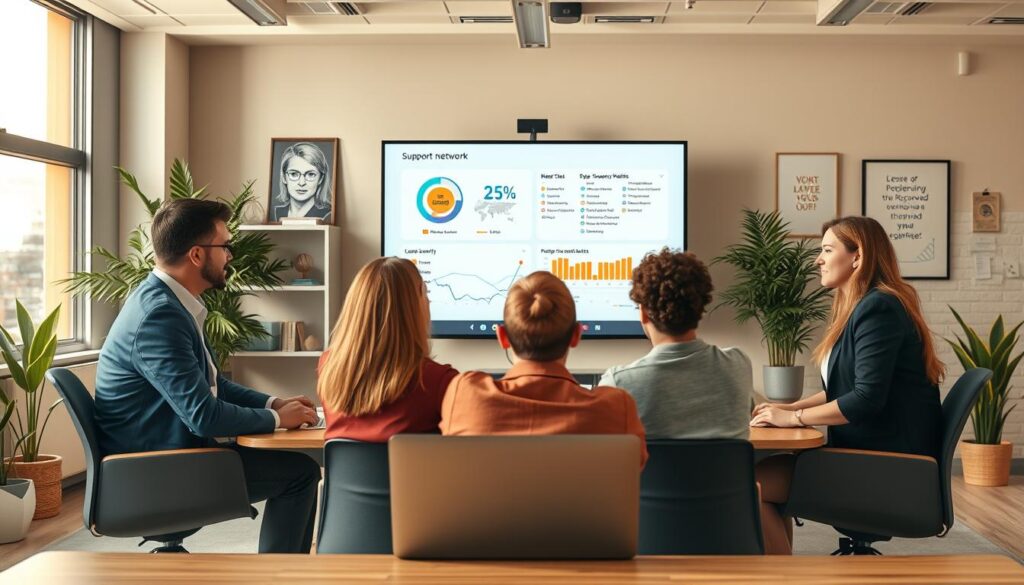
My support network: peers, groups, and accountability loops
Who I include: peers who sanity-check odd messages, a named IT/security escalation contact, and a tiny accountability loop for routine tasks like backups and session checks.
How I ask for help early to cut incident time
I report suspected phishing fast, request password resets through official channels, and flag device anomalies immediately. Early help shortens the time to contain and restore normal operations.
Constructive feedback to reinforce better decisions
I use blameless post-incident notes and short “what I’ll do differently” entries. Groups and sessions normalize reporting and turn mistakes into learning without shame.
| Element | Role | Practical Action |
|---|---|---|
| Peer check | Quick sanity filter | Ask one trusted colleague to review suspicious links |
| Security contact | Escalation path | Use preset channel for immediate help |
| Accountability loop | Routine hygiene | Weekly short check of backups and permissions |
| Support group | Normalize behavior | Monthly session to share lessons and tips |
Conclusion
Conclusion
Protecting remote work is less about perfect systems and more about practical habits that hold up under pressure.
I plan for interruptions: I prepare, practice safe re-entry steps, and keep a small support network ready. This approach treats recovery as routine, not an emergency drama.
Psychology matters. Small pauses, simple checks, and steady practice change how I act when alerts arrive.
Good health supports good choices—sleep, short exercise, and a few minutes of mindfulness help attention and reduce risky slips in daily life.
Start small: pick one access improvement, run one restore drill, and name one person for quick help this week. Over time, my experience grows, incidents drop, and security becomes human-centered.
FAQ
Why did secure remote access become critical after remote work went mainstream?
When organizations shifted to remote-first models, I saw identity, devices, networks, and apps become a single, connected environment. That widened attack surfaces and raised stakes for continuity, making secure access essential to protect both data and long-term availability of services.
How does “always connected” increase exposure and risk?
Being constantly online increases time spent on diverse networks and apps, which creates more touchpoints for compromise. I find that longer sessions and multitasking lead to lapses in attention, increasing click reflexes and other behavioral weak points that attackers exploit.
What behavioral changes after the pandemic made security harder in the U.S.?
Post-pandemic, many people normalized informal workspaces and blurred boundaries between personal and professional tools. I noticed more device sharing, inconsistent patching, and relaxed habits that erode security hygiene unless reinforced by training and support networks.
What does secure remote access look like in everyday work?
It means seamless controls across identity, device posture, network segmentation, and app permissions so people can work without dangerous shortcuts. I treat secure access as both technology and support—policies, training, and a culture that make safe choices the easy choices.
Why is “secure access” also about supporting how people actually work?
Security succeeds when it aligns with real workflows. I prioritize tools and routines that reduce friction, such as single sign-on, least-privilege access, and clear incident playbooks so teams don’t improvise risky fixes under time pressure.
What common weak points do teams show when they move fast?
I regularly see unmanaged devices, weak credentials, unchecked SaaS permissions, and ad-hoc network setups. These are compounded by stress, rushed decisions, and poor tracking of changes—gaps that behavioral therapy–inspired training and short drills can help close.
How do I frame recovery as a process rather than an event?
I plan iteratively: prepare, detect, contain, remediate, and learn. That mindset keeps me focused on minimizing time to recovery and on continuous improvement, not just one-off fixes after incidents occur.
What does “thinking like a responder” involve?
I assume disruption will happen and document clear roles, escalation paths, and playbooks. Regular simulations, concise runbooks, and accountability loops let me respond quickly and reduce cognitive load during real incidents.
How do I keep a long-term recovery focus when convenience tempts me?
I balance short sessions of practice with structural protections—strong authentication, automated patching, and enforced least privilege. Small routines and feedback from peers help me resist one-off shortcuts that add risk over time.
What realistic threats do I prepare for, and how will I respond?
I prepare for credential theft, device compromise, and insider mistakes. My response includes isolation, forensic checks, user coaching, and timeline reconstruction. I document steps so recovery is repeatable and measurable.
How do cognitive behavioral therapy (CBT) ideas apply to security habits?
CBT teaches me to spot automatic thoughts and flip unhelpful reactions into deliberate actions. I use that to interrupt risky impulses—like bypassing multifactor authentication—and replace them with rehearsed, safer responses.
How can I interrupt “just this once” thinking before it causes an incident?
I use simple honesty checks and if-then plans: if I feel tempted to bypass a control, then I pause, consult my checklist, or ask a peer. Those brief interventions break the automatic pattern that leads to errors.
How do breathing and mindfulness help when alerts go off?
Stress narrows focus and fuels the click reflex. I teach myself short breathing and grounding exercises to downshift the stress response so I can assess alerts calmly, follow playbooks, and avoid impulsive actions that worsen incidents.
What routines make secure access easier to sustain?
I schedule brief practice sessions, maintain a tidy environment for focus, and enforce time blocks for updates and reviews. Structure reduces risky improvisation and makes safe behaviors habitual.
What are short drills and how do they compound over time?
Short drills are focused, repeatable exercises—like MFA recovery, device rebuilds, or simulated phishing responses. I run them regularly; each session reinforces skills and shortens real incident response times.
How do I create the right environment for focused work at home?
I set physical cues—dedicated workspace, minimal distractions, and scheduled quiet time. That environment supports attention, reduces stress, and lowers the chance of risky multitasking or credential errors.
How should I track progress without chasing perfection?
I track metrics like time to detect, time to contain, and completion of practice sessions. I view trends over time rather than isolated failures; incremental gains matter more than flawless performance.
What role do exercise and therapy play in security resilience?
Physical activity, CBT-style coaching, and mind-body practices strengthen attention and stress tolerance. I use yoga, tai chi, and short aerobic sessions to maintain focus and emotional regulation during high-pressure events.
When should I seek professional support versus self-guided training?
I seek professional coaching or therapy when stress undermines consistent safe behavior or when persistent cognitive patterns lead to repeated errors. For technical gaps, I rely on formal training and peer-led exercises.
How do support networks prevent habits from collapsing?
Peers, mentors, and accountability groups provide feedback, early help, and social reinforcement. I use those networks to catch risky shortcuts early and to celebrate steady improvements.
How do I ask for help early to reduce incident impact?
I normalize quick, factual requests for assistance and share concise context. Early escalation shortens time to remediation and keeps outages or breaches from widening.
What makes feedback constructive for better decisions?
I focus feedback on observable actions, specific alternatives, and immediate next steps. Constructive feedback is timely, kind, and tied to clear practices so people can adjust behavior quickly.